brand_ nimi
project_ mobile app + web experience design
my role_ owned info architecture, UX, + spec documentation. Supported feature ideation, UI design, + design system development
Business COntext
-
Fragmented Landscape
Business Challenge
In the world of group travel apps, travelers juggle clunky group chats, scattered receipts, and selective social media posts during and after their trip—their digital experience is more chaotic than communal.Design Opportunity
How can we create a seamless, all-in-one digital travel companion? -
Startup Growth
Business Challenge
As a startup, nimi’s immediate business challenge is growth and user adoption. The product design is the core of the brand experience, our main lever to drive emotional connection.Design Opportunity
How can we create an intimate elevated visual experience that keeps users coming back as their trips grow? -
Emotional Payoff
Business Challenge
Traveling with friends creates priceless memories, but the user effort to reward ratio to compile them is often too high. There’s no easily compiled, complete story.Design Opportunity
How can we lower user effort to create the perfect digital souvenir that rewards users for their engagement?
Competitive Analysis:
the Digital Ecosystem for group travel
Through secondary research and primary user interviews, I mapped and analyzed the digital ecosystem of the target customer. Sentimentally motivated group travelers ages 25 to 65 use several fragmented systems for sharing photos and content, both interpersonally and broadly.
Insight #1:
Seamless photo sharing is more important than tracking expenses.
Insight #2:
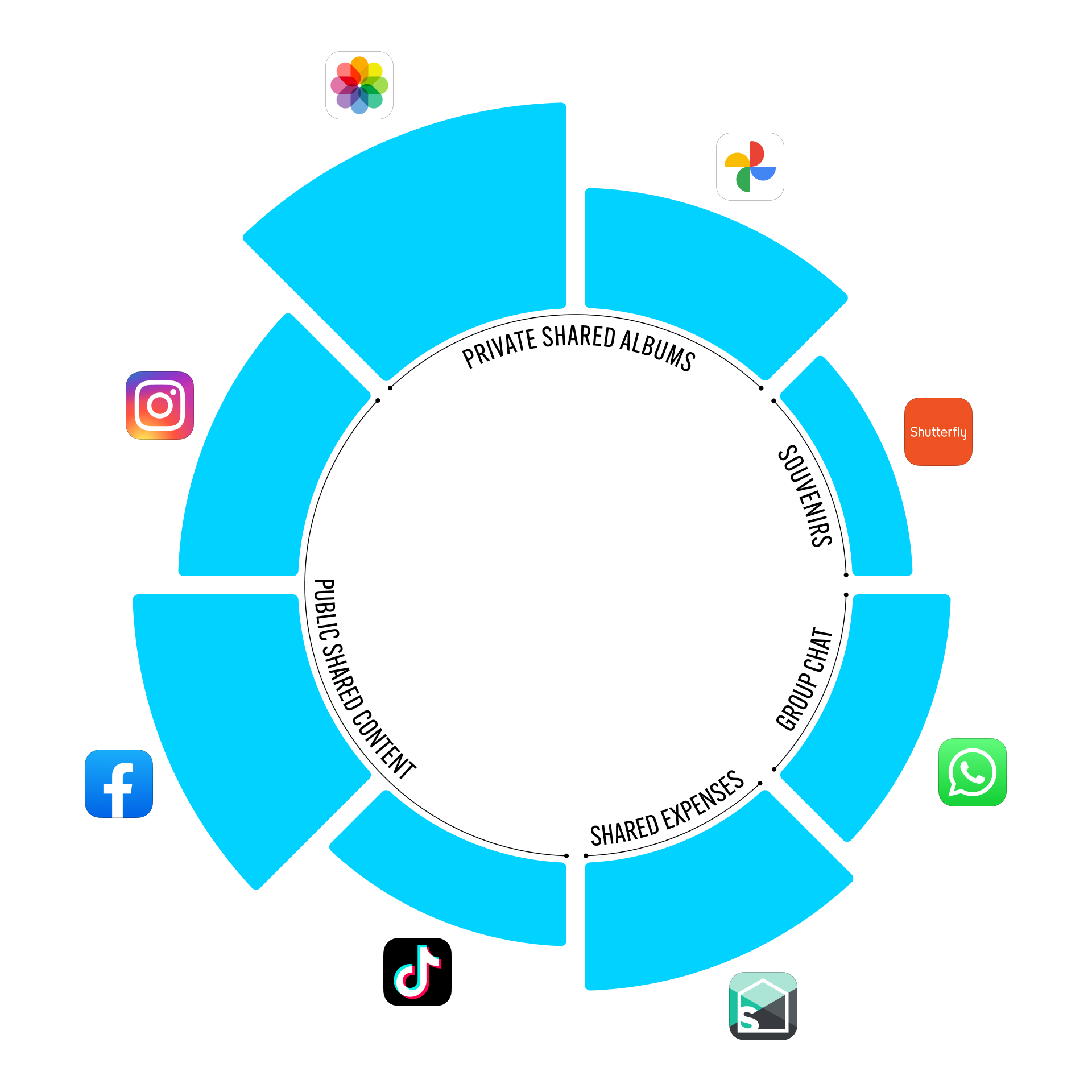
Digital “souvenirs” (Instagram and Facebook photodumps, digital photo frames, video compilations in TikToks and Reels, the group chat) have superseded custom physical souvenirs (photo books, prints, photo tees).
Strategic Approach
Implementation Plan:
Ideate and test core features
Establish information hierarchy
Integrate intuitive navigation and novel content design
Development Roadmap:
Alpha launch + testing (android, iOS): product styles, core features, work through tech stack
Beta launch + GTM (android, iOS): build out complete feature set, refine UX, upgrade content storage
Version 2.0 + Souveniring (android, iOS, + web): elevate visual style, standardize navigation, and close the loop on value add
Design Methods:
Competitive benchmarking
User surveys
User interviews
Persona development
Journey mapping
Concept testing
Prototype feedback & testing
Card Sorting
Task Analysis
Accessibility evaluation
Usability testing
Contextual inquiry
Think-aloud protocol
Event tracking
Analytics review
Core User Persona

To align the team around a clear design direction, I led discussions that pushed us to define and commit to a target persona. Through research, I identified the digital familiar as our primary user: Gen X and Millennial trip creators who treat every journey — family vacations, reunions, milestone moments — as inherently sentimental. These users don't just experience trips, they document and share them, maintaining a diligent public presence across social channels. This made them not only ideal product users, but natural evangelists.
User Type Analysis
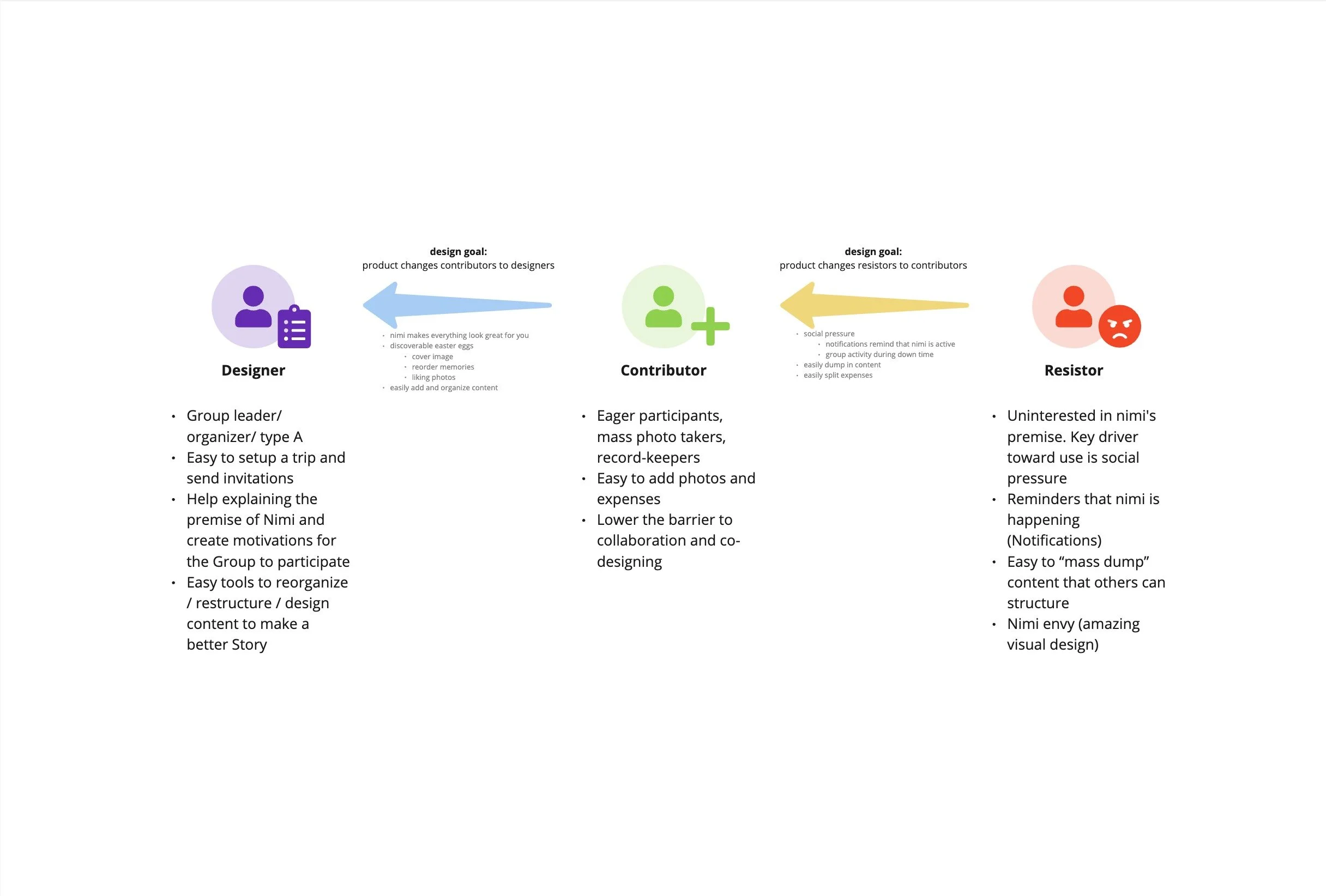
To clarify the variety of pain points for users in a travel group, I synthesized user interviews to develop this framework of Trip Designers, Contributors, and Resistors. Understanding the drivers and blockers for each user type (most group trips include all of them) unlocked specific design solutions to support activities for all users and improve overall adoption.
Alpha User Interviews
-
"I couldn't tell if I was looking at my trips or my memories — the screens looked the same to me.”
-
"I'd navigate all the way back to My Trips just to figure out where I was, and then lose track of what I was trying to do."
-
"I still don't really understand what a Memory is supposed to be versus everything else in the app."
Information Architecture
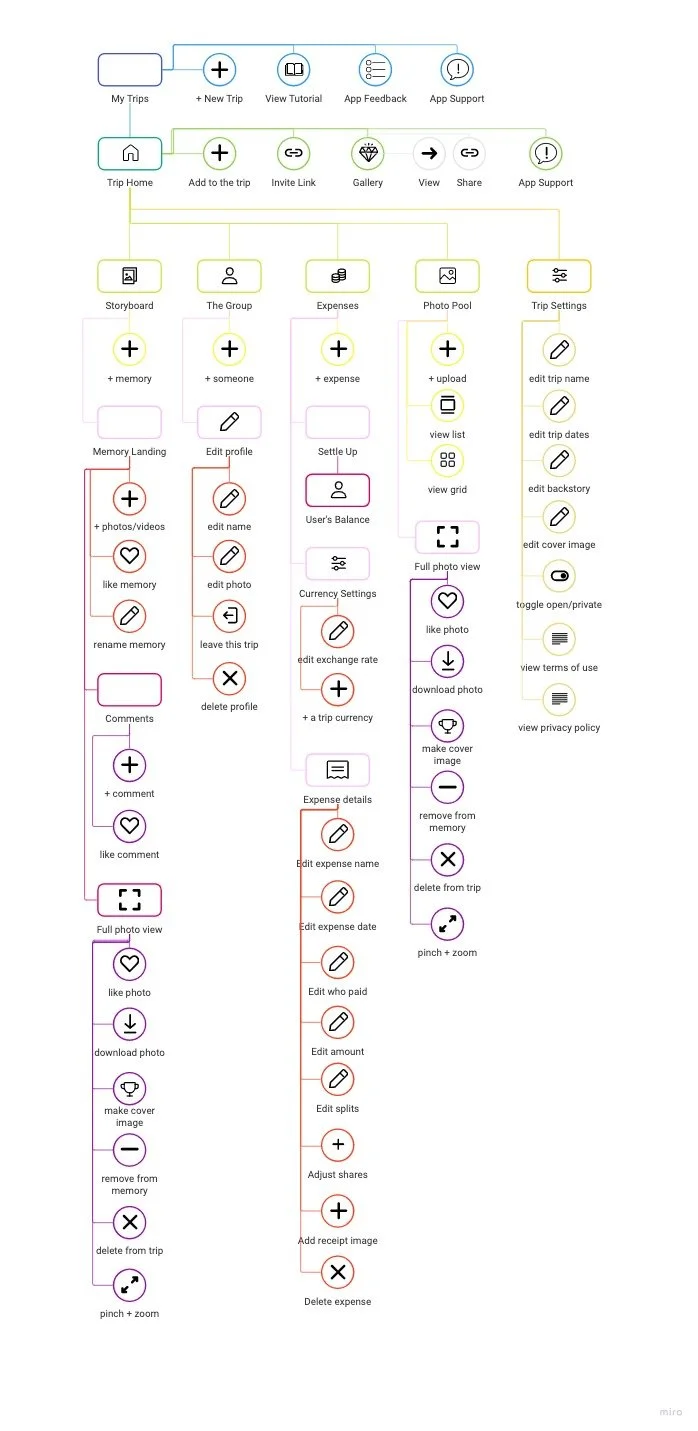
I organized existing features from the alpha product into a logical information hierarchy, refining through Beta and 2.0 versions to achieve consistent interaction patterns, intuitive navigation, and an approachable user experience.
Visual Evolution
Take a closer look at 3 features I proposed, designed, and delivered that had a significant impact on user adoption, experience, and retention.
TRIP HOME SCREEN
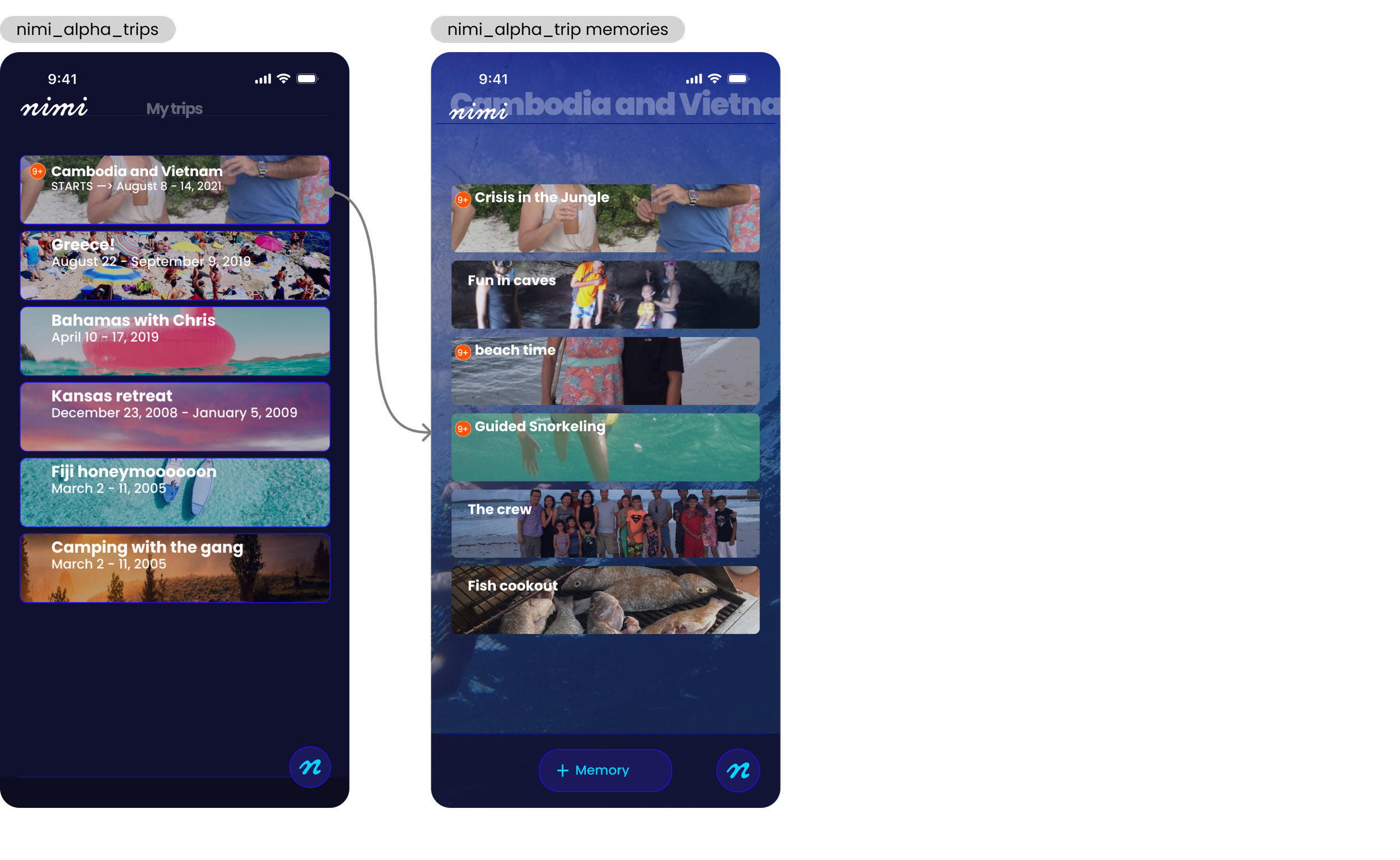
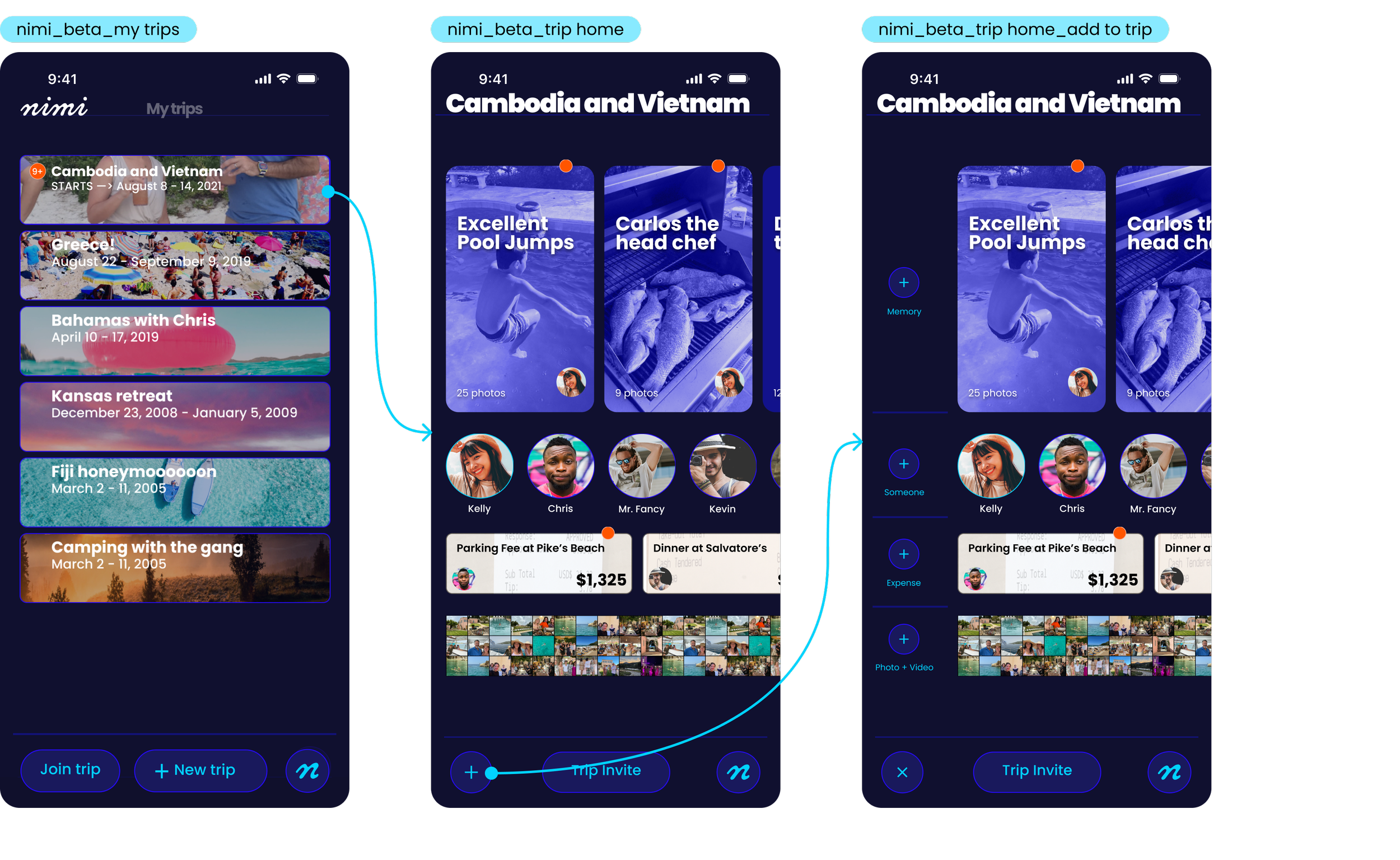
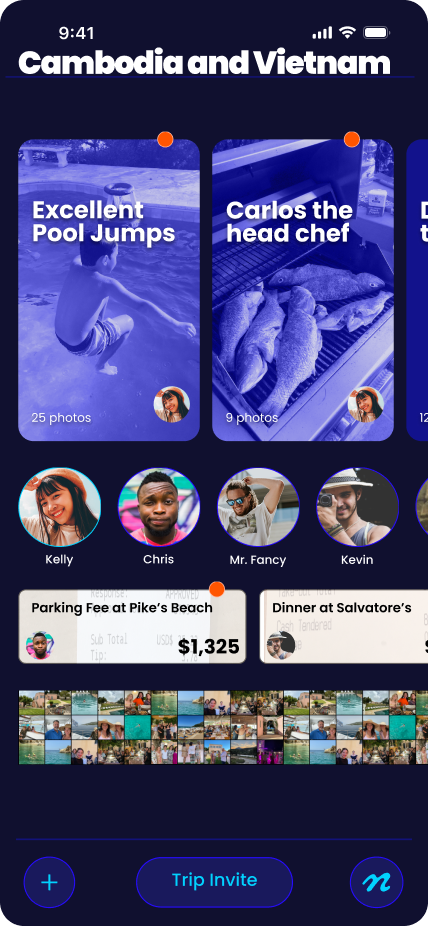
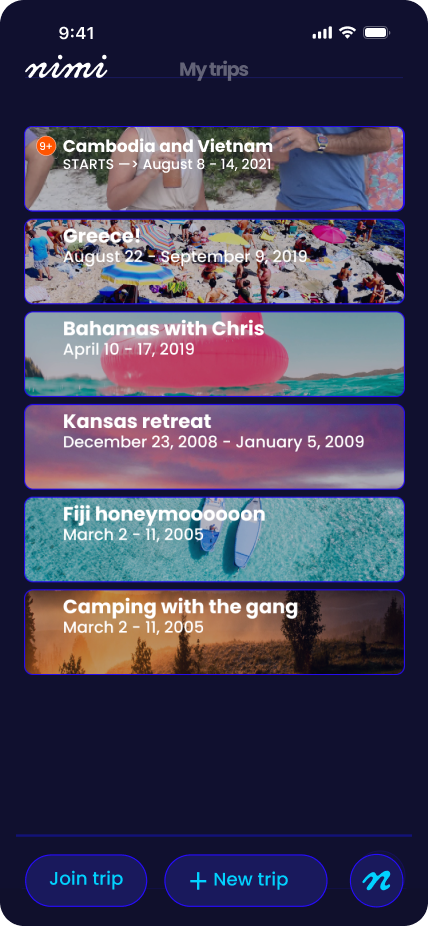
Alpha user testing and interviews revealed a disconnect in users’ mental model of the product features as well as a general confusion across similar looking screens in the app. I proposed, ideated, and delivered a new “home” screen within the trip to solve this problem.
Before
The alpha product’s landing page inside the trip was a list of the trip’s memories. Because of identical design patterns used to visualize this memories list and the trips list on the screen before this, users often confused these two screens and became lost in the core feature of the product.
After
A trip “home” page supports the accurate mental model for all the components of a trip: memories, people, expenses, and the general photo pool . The visual hierarchy emphasizes the core premise of nimi: the group curation and storytelling with multimedia content. The new memory card design aligns with the trend towards vertical media and functions as skeuomorph of book pages, drawing the connection between memories and chapters in a story. Contextual “create” buttons lower the barrier for hesitant group members to effortlessly add content to the trip without having to navigate deeper into the product.
Invite Experience
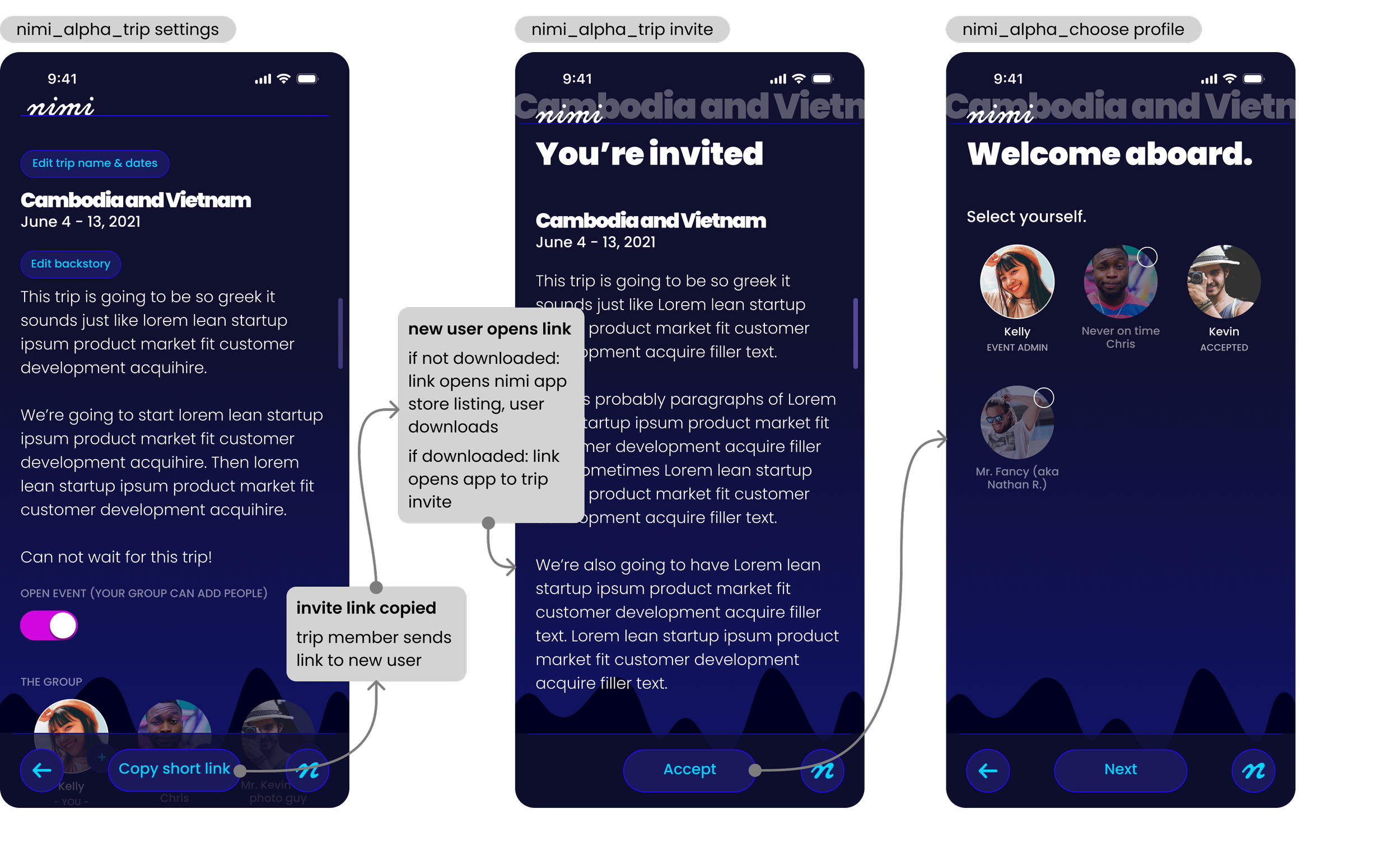
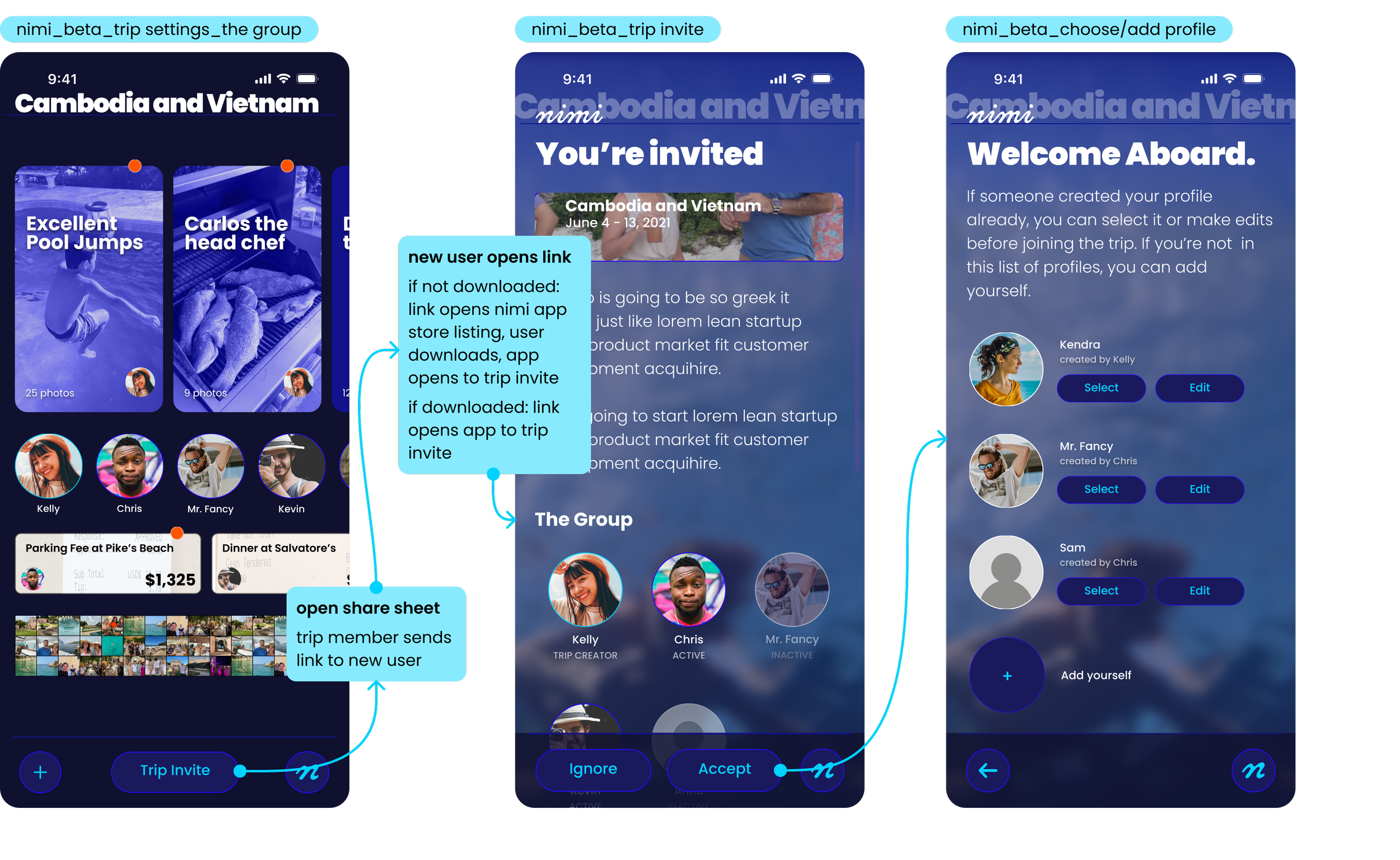
Alpha User testing revealed a significant barrier for trip creators and drop off from invited members with the current invite flow. I ideated and delivered a new flow to address these pain points.
Before
The button to copy the trip invite link was both unclearly labeled and buried in the trip setup flow and settings. Trip creators had no intuitive way to grow their group, leading to a mass drop off in invites. The onboarding process for invited members forced users to select pre-made profiles, yet another task required of the trip creator and another barrier to group collaboration.
After
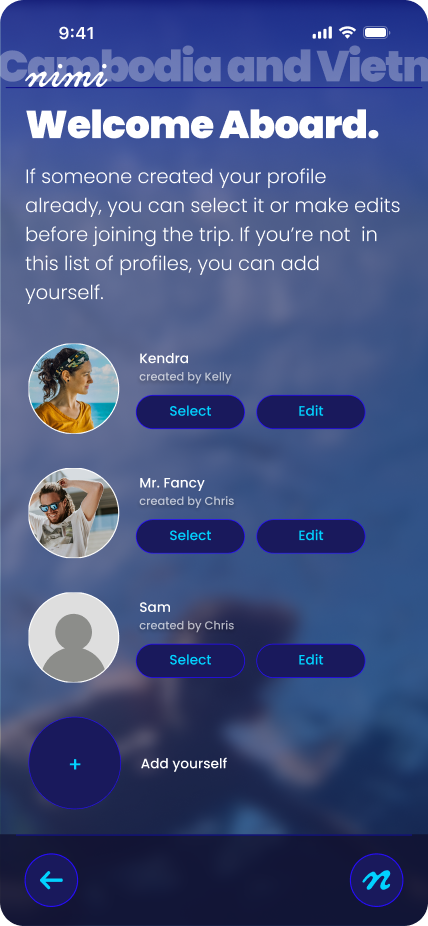
The Trip Invite button is clearly labeled, prominently featured on the new Trip Home screen, and utilizes the share sheet, familiar and frictionless OS share functionality. Invited users can either accept or ignore an invite, removing the dead end of an unwanted invitation (ignore closes the trip invite screen and returns the user to My Trips.) The onboarding screen allows for both pre-made profiles and user-created profiles, easing the burden on the trip creator to grow their group.
Navigation
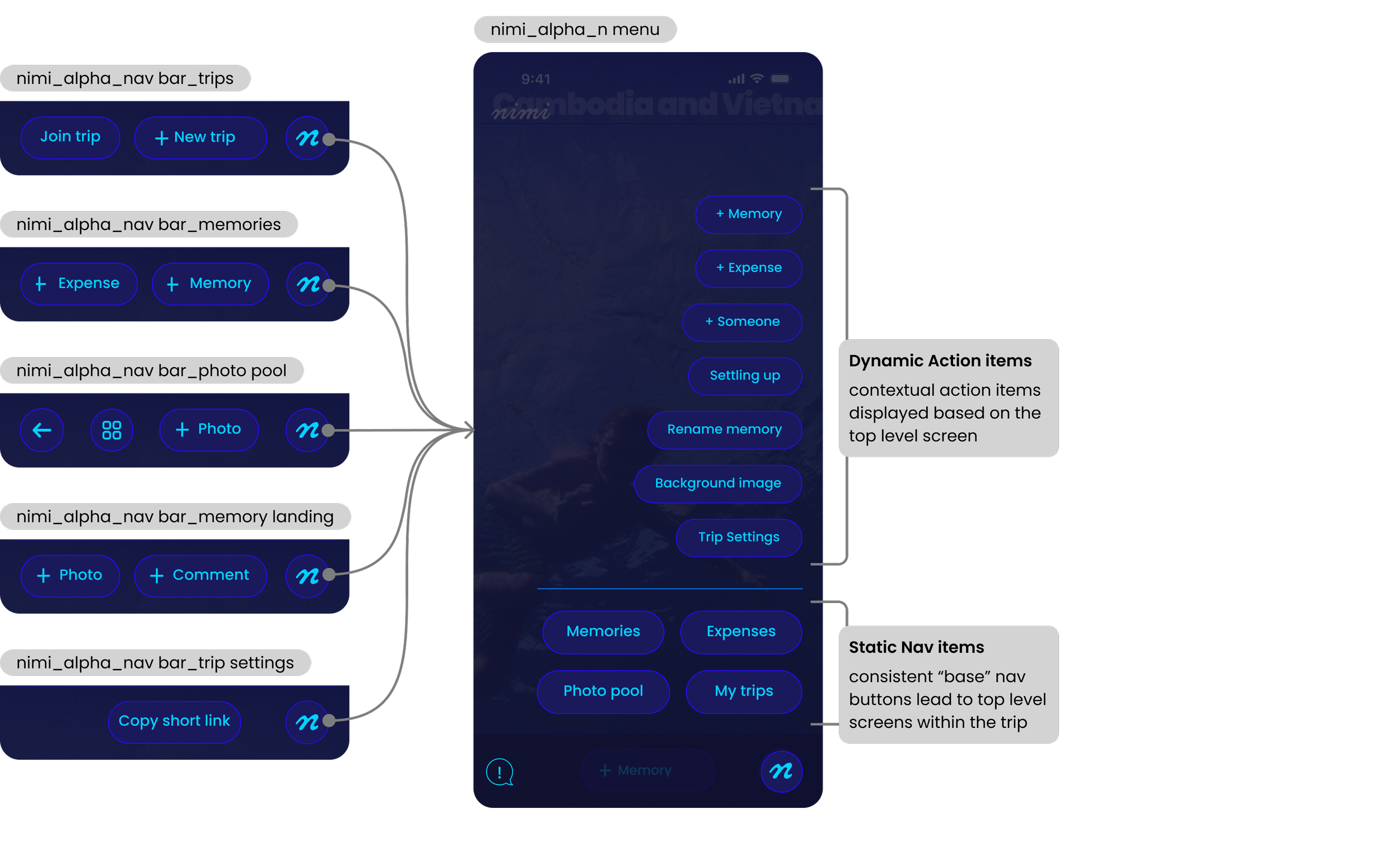
Beta user testing of the navigation menu, now complete with a full feature set, revealed significant user overwhelm and friction in crucial activities. I proposed, ideated, and delivered an updated nav bar using modern best practices and a flexible system to accommodate the large suite of features.
Before
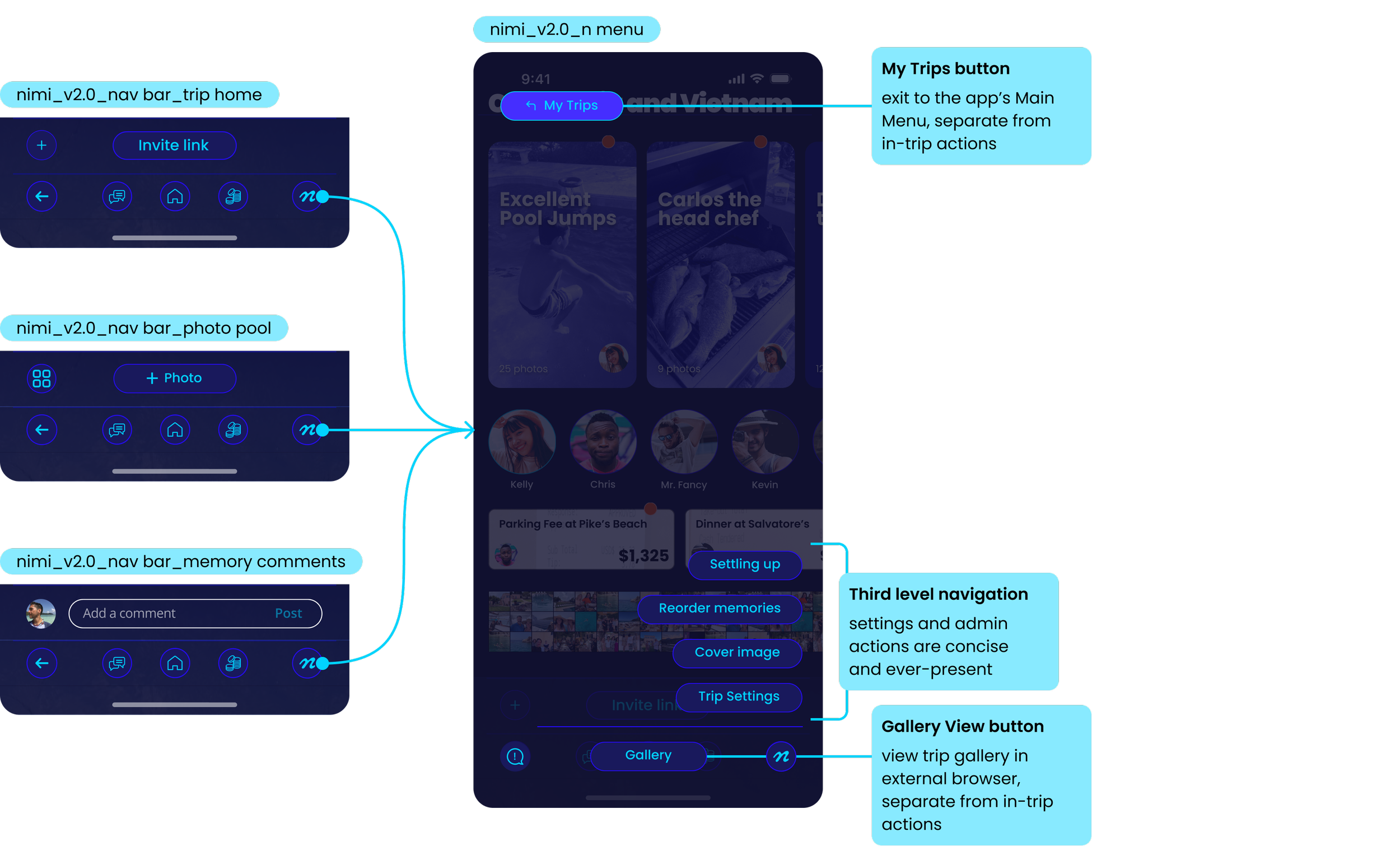
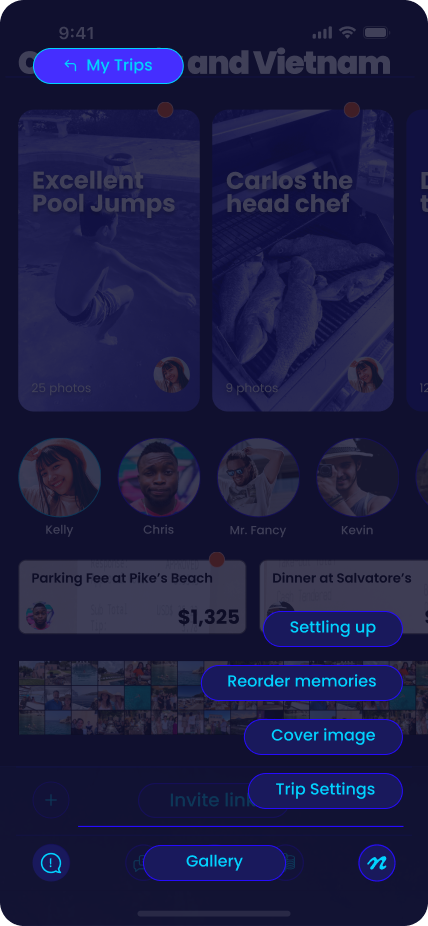
In the alpha and beta phases of the project, navigation was shoehorned into a single button, the “n menu.” Various contextual action buttons populated the footers, while top level navigation links where buried in lower half of the n menu. Additional third level “dynamic actions” stacked above the core menu. These were conditionally displayed, but unintuitive in their ordering. The overwhelm from inconsistent options meant users anchored on the top level “my trips,” tapping it 2x more often than the in-trip anchor, “Memories,” pulling them out of the flow of their trip.
After
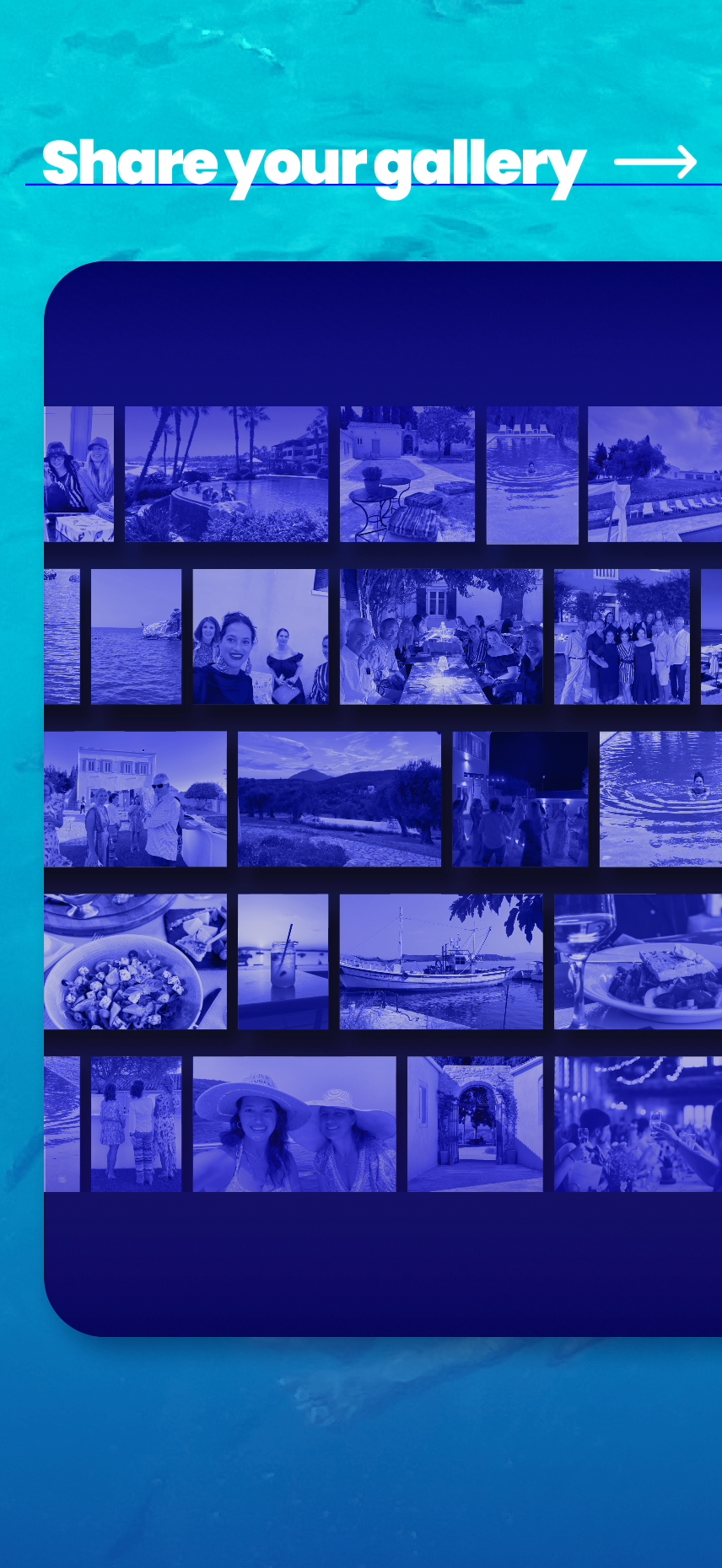
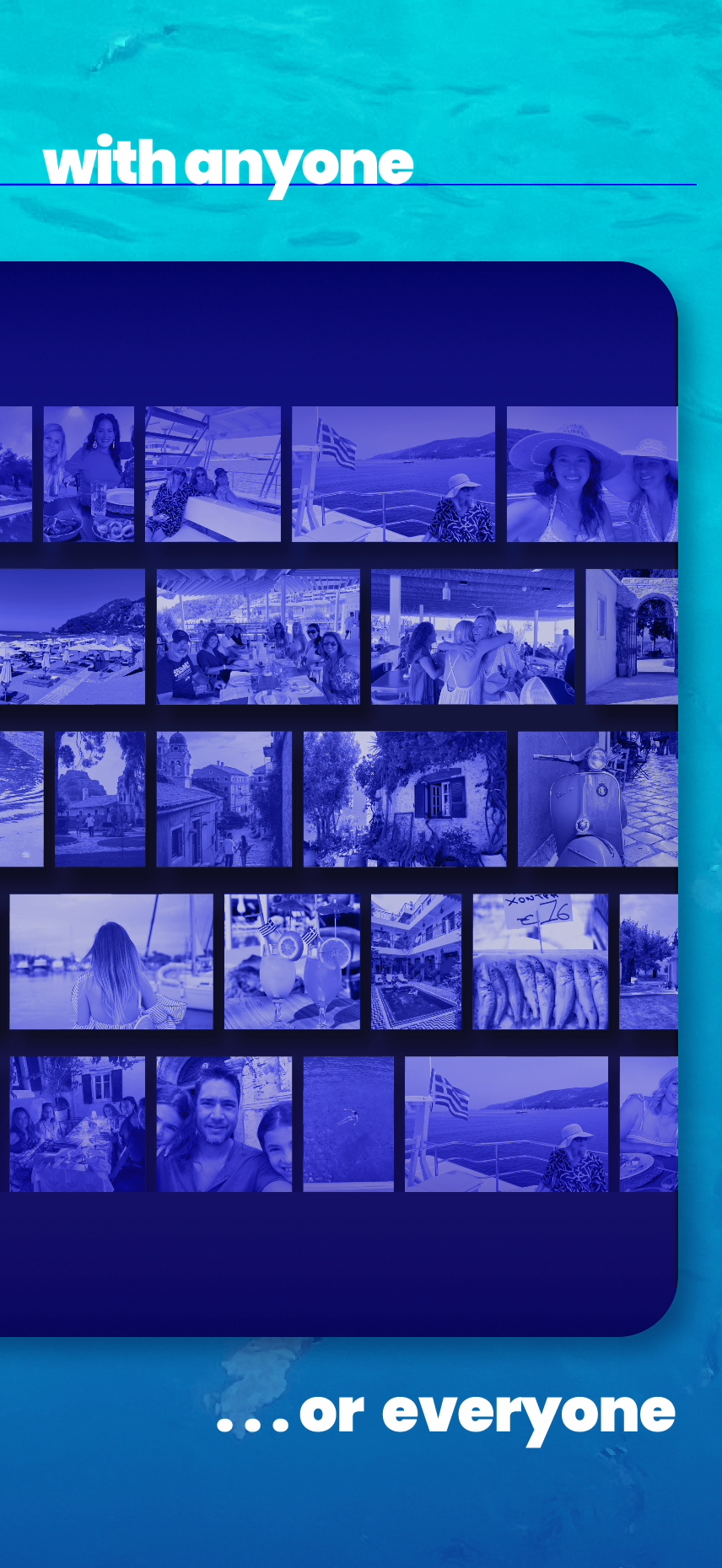
A clean icon navigation bar elevates the app’s core features—trip chat, trip home, and expenses—to the primary level on all screens. A back button allows for easy wayfinding when users are exploring deep in the product. An action bar stacks on top of the main navigation, allowing for accessible and efficient activities, determined for each screen by Beta usage data. The n menu remains the home of third level navigation buttons, but these are consistent across the product. The button to exit the current trip and view My Trips is visually and spatially separated from in-trip actions. The Gallery button, which sends users to an external browser, is similarly separated from in-app activities.




Impact + Results
-
Organic Growth
Without a formal marketing budget, nimi scaled from under 500 beta users to over 22,000 unique users across iOS and Android — driven entirely by word of mouth. The data validated a core product hypothesis: one in three trip participants went on to create their own trips, demonstrating a repeatable Contributor-to-Creator conversion pipeline.
-
Brand Partnerships
nimi attracted the attention of major brands, including NASCAR and Princess Cruises, opening conversations around white-label partnerships for branded digital fan experiences. nimi proved its business impact beyond the app itself — users on cruise ships were motivated to purchase onboard wifi to stay connected to their trips, and organically lobbied the product team to introduce ship-wide nimi experiences. -
Client Testimonial
“Caroline added a dimension of logical and purposeful design work to our product team. She was instrumental in transforming this product from a collection of ideas and features into a market-ready consumer lifestyle app.”
- nimi product leader

credits_ completed at Paper Crane Factory in collaboration with nimi product team, Fexle (app dev), & Ryan James (web dev)